Get 50 Free Funny SVG Cut Files for Your Cricut & Silhouette Projects
Make shirts, tumblers, mugs, decals and signs, and sell everything you make. A free commercial license is included.
Perfect for Cricut & Silhouette crafters, tumbler and shirt makers, and craft fair sellers.
Many free SVG sites only allow personal use, so you have to buy a license before you can sell a single shirt. These 50 designs come with our commercial license at no cost: sell unlimited physical products at craft fairs, in your own shop, or through Print On Demand.
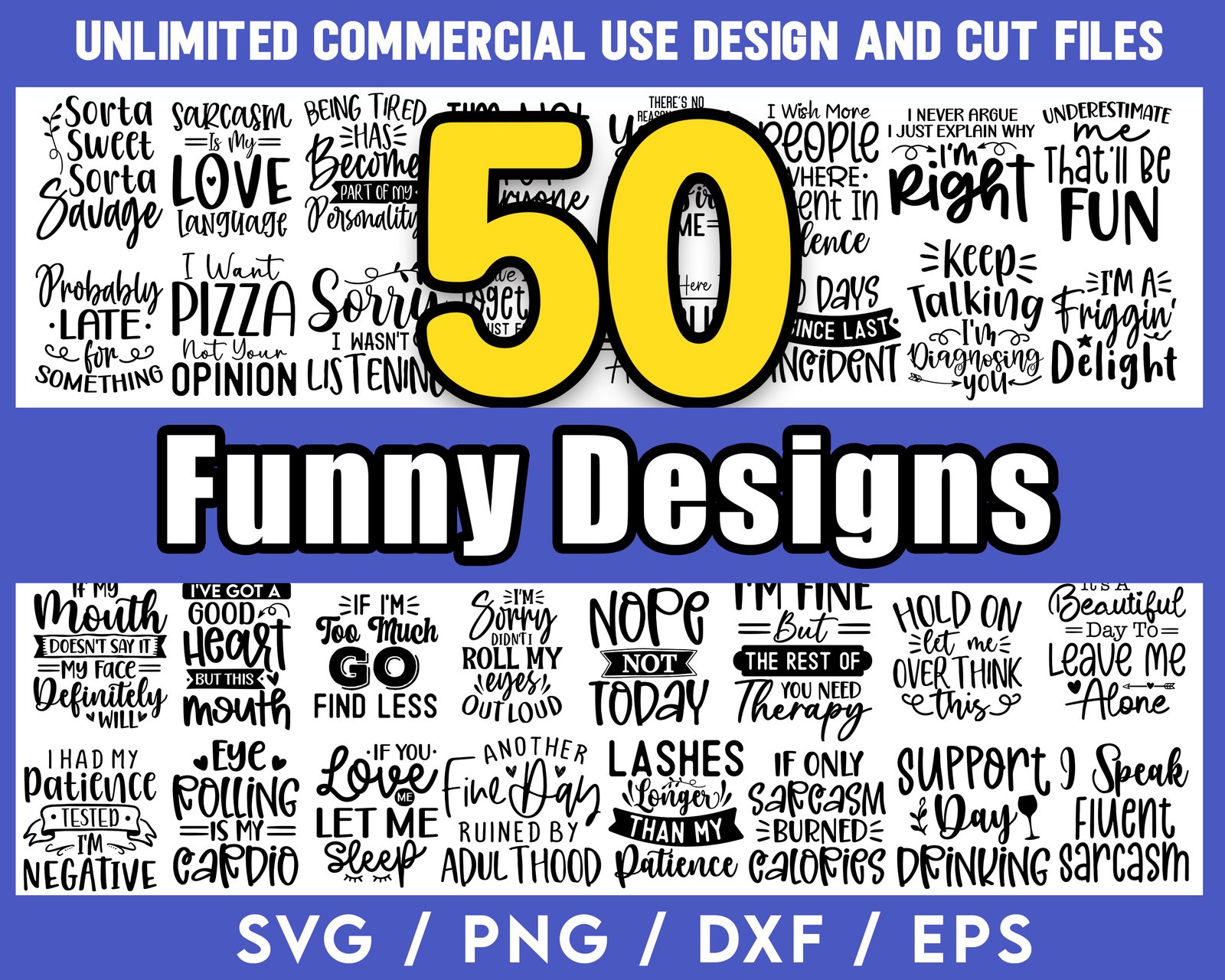
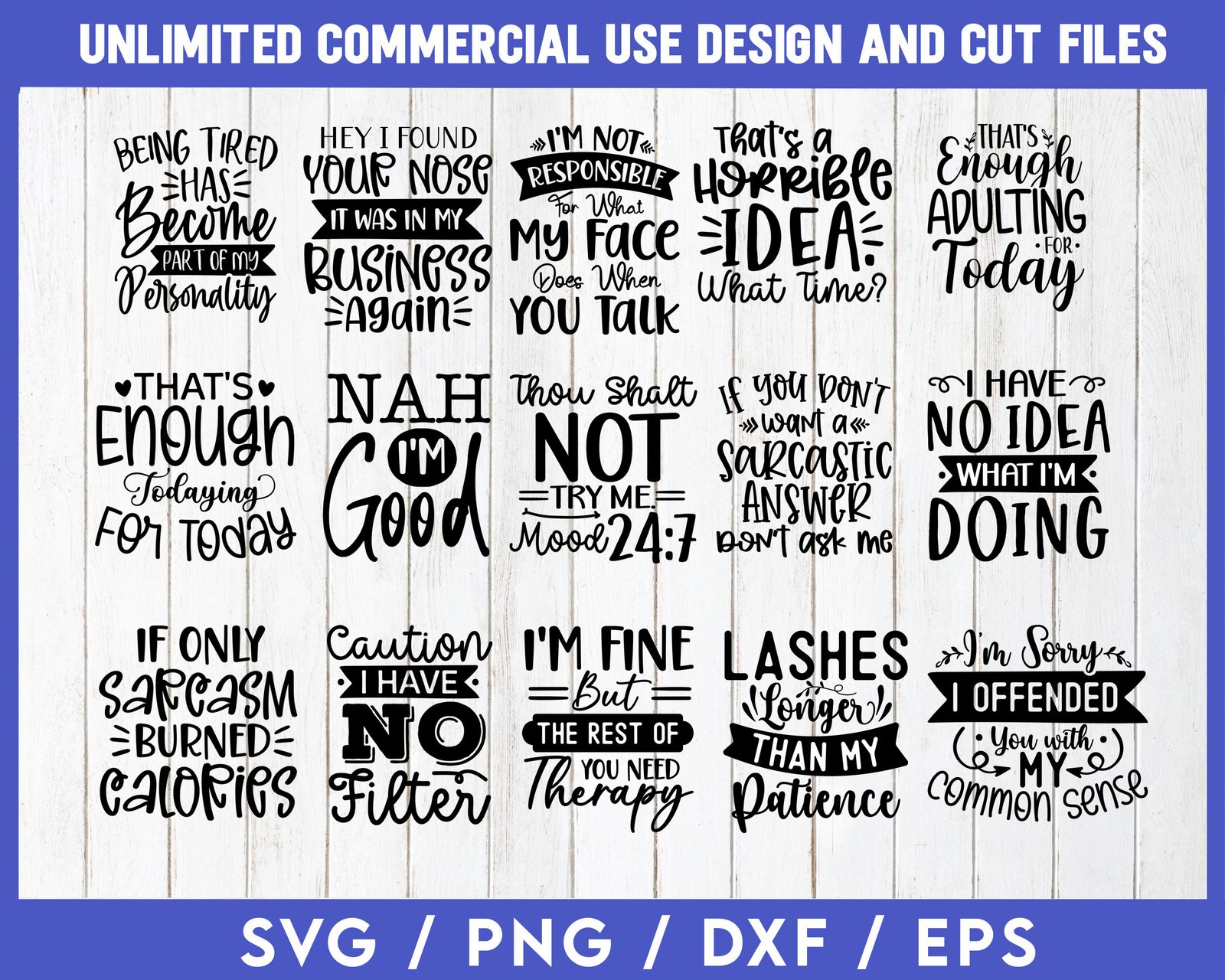
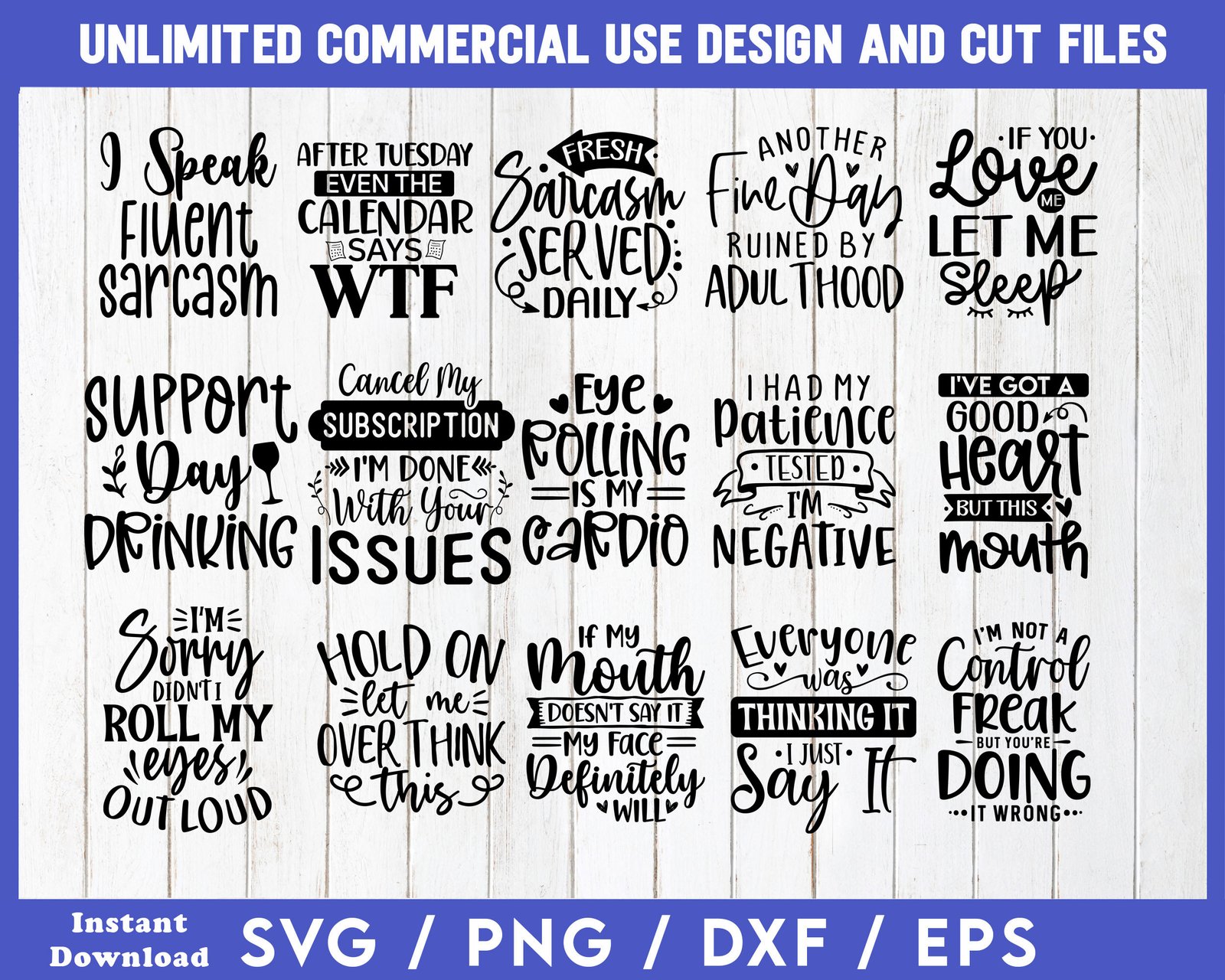
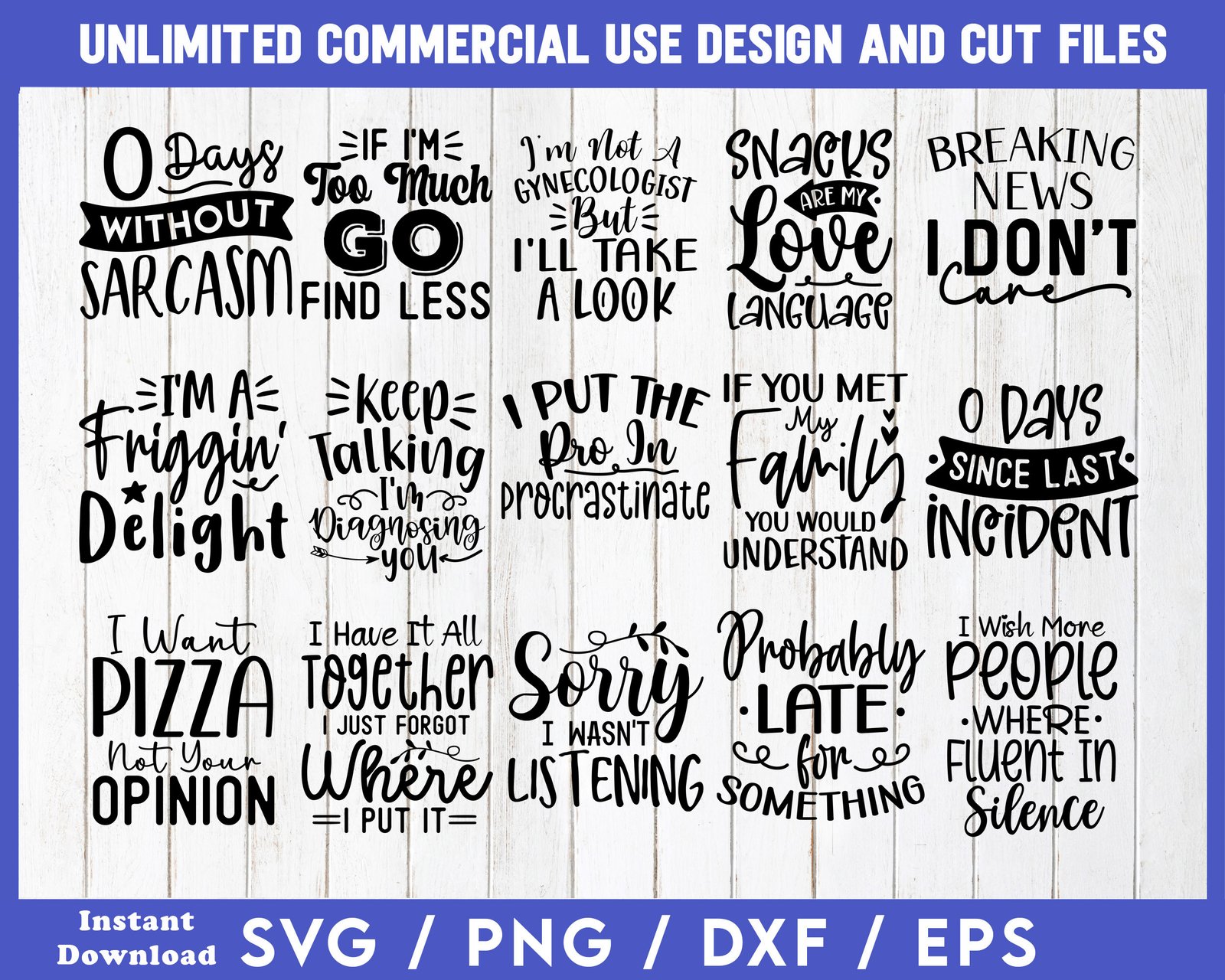
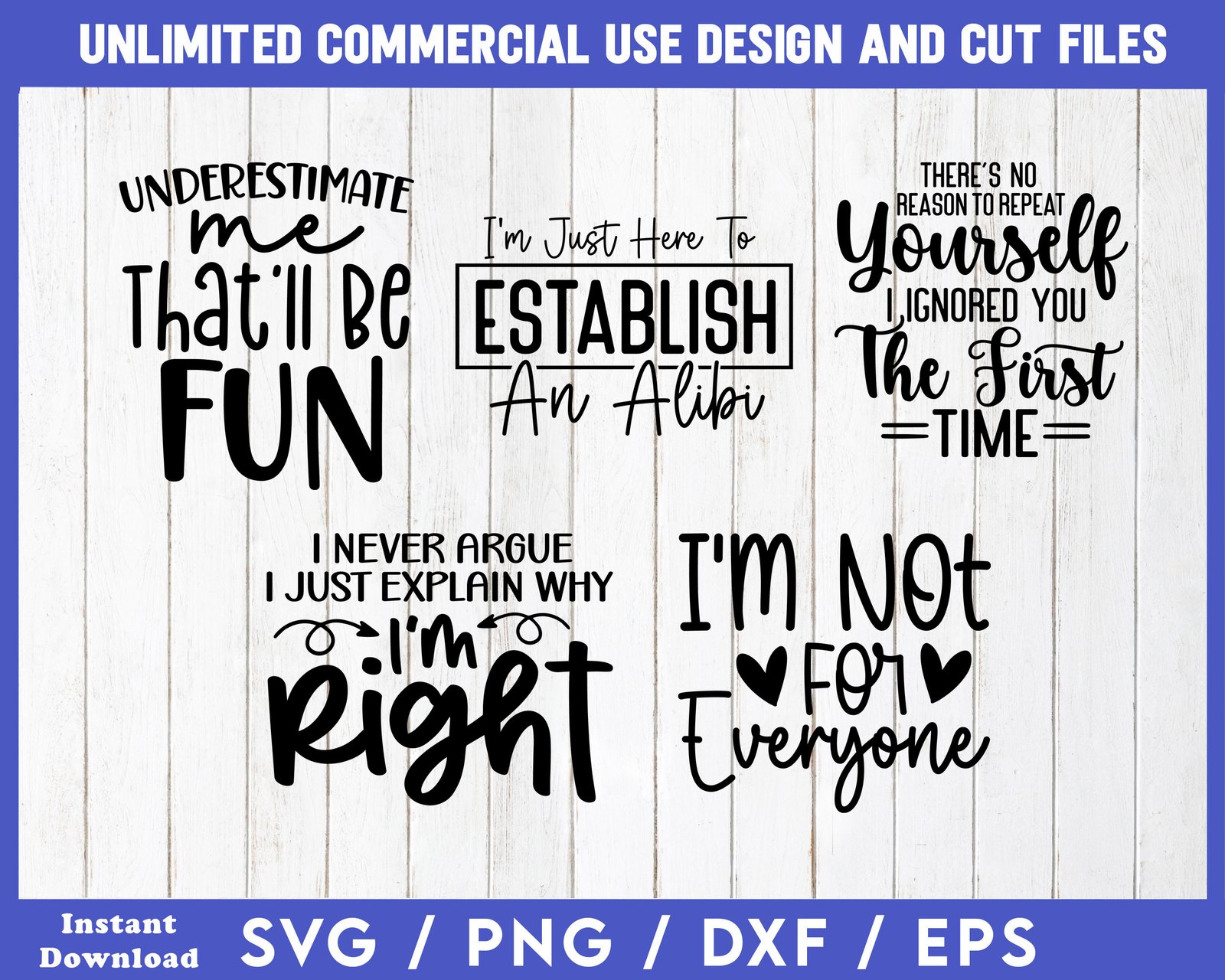
Below are the actual 50 designs included in the Funny SVG/PNG Bundle:
What SVGDesignsLab Buyers Say
“These files worked perfectly with my Cricut. Clean cuts, great designs — my customers love the sarcastic style.” — Mary, SVGDesignsLab customer
“The commercial license means I can actually sell them. That was the dealbreaker for me.” — Derek, SVGDesignsLab customer
“Already listed 12 of these on my POD store. First sale came through in two days.” — Jill, SVGDesignsLab customer
Send Me My 50 Free Designs
Just enter your first name and email address below to grab this bundle:
Instant download · SVG, PNG, DXF, EPS
We hate spam and will never share your information.
What You Get
- SVG files for Cricut Design Space and Silhouette Studio.
- DXF files for Silhouette Studio Basic Edition and laser cutters.
- Transparent PNG files for sublimation, DTF and printing, plus a 300 DPI high-res set (4500×5400px).
- EPS files for Adobe Illustrator and professional print.
What You Can Make
- T-shirts, hoodies and tote bags with HTV, sublimation or DTF.
- Tumblers, mugs and wine glasses.
- Decals, stickers and car window decals.
- Wood signs, laser-engraved gifts and cards.
- Plus hundreds of other Print On Demand (POD) products. Many POD printers offer far more than what's listed here.
Sell What You Make, No Extra License Needed
Most SVG shops charge extra before you can sell what you make. Our commercial license is included free.
| What you can do | Typical SVG License | Our Free Commercial License |
|---|---|---|
| Sell physical products (shirts, mugs, tumblers, signs) | Limited | ✓ |
| Unlimited quantities, no extended license needed | ✗ | ✓ |
| No credit or royalties required | Sometimes | ✓ |
| Print On Demand (Printify, Printful, Redbubble) | ✓ | ✓ |
| Resize, recolor and add your own text | ✓ | ✓ |
| Client work and custom orders | ✓ | ✓ |
Free Commercial License: Sell Unlimited Physical Products
Covers these 50 designs and every design you purchase or download from SVGDesignsLab. Every design comes with a FREE COMMERCIAL LICENSE for unlimited product creation and sales.
What You CAN Do
- No credit required.
- Mass commercial production. No need to buy a license and then an extended license. Sell unlimited quantities of physical products.
- Use SVGDesignsLab designs for both personal and commercial purposes, including Print On Demand.
- Print and sell physical products for profit: T-shirts, mugs, tumblers, tote bags, signs, decals, stickers, cards and more.
- Use the designs with cutting machines (Cricut, Silhouette, Brother ScanNCut), sublimation, DTF, screen printing and laser engraving.
- Sell physical products at craft fairs, on your own website, on Amazon and on any Print On Demand site (Printify, Printful, Redbubble and more).
- Resize, recolor and add your own text or graphics to the designs for use on your physical products.
- Use the designs in product mockups, listing photos, ads and social media posts that promote your physical products.
- Use the designs for client work and custom orders.
What You CANNOT Do
- Share, distribute or resell any SVGDesignsLab files in any digital format, including SVG, PNG, DXF, EPS, JPG, PDF, printables or sublimation transfer files, whether edited or unedited.
- Include SVGDesignsLab designs in any digital bundle, clipart pack, membership site or design library.
- Claim any SVGDesignsLab design as your own original artwork.
- Use SVGDesignsLab designs as part of a logo or register them as a trademark.
- Use SVGDesignsLab designs to train AI models or create NFTs.
- Sell, transfer or sublicense this license to anyone else.
All designs remain the copyright of SVGDesignsLab. Questions? Email support@svgdesignslab.com.
Frequently Asked Questions
Can I sell the things I make with these designs?
Yes. The free commercial license lets you sell unlimited physical products made with these designs — shirts, tumblers, mugs, decals, signs and more — at craft fairs, in your own shop, on any marketplace or through Print on Demand. No credit required. The only thing you can't do is share or sell the digital files themselves.
What cutting machines work with these SVG files?
These SVG cut files are compatible with all major cutting machines including Cricut Maker, Cricut Explore, Silhouette Cameo, Brother ScanNCut, and any machine that reads standard SVG or DXF files. Just import them into Cricut Design Space or Silhouette Studio and you're ready to cut.
Can I use them for sublimation, HTV and DTF?
Yes. Use the SVG or DXF files for cutting vinyl and HTV, and the high-res 300 DPI PNG files for sublimation, DTF and other printing methods.
What file formats are included?
Every design comes in four formats: SVG (for cutting machines and design software), PNG (transparent background, ready for POD), DXF (for Silhouette and laser cutters), and EPS (for Adobe Illustrator and professional print). The PNG files are also provided at 300 DPI and 4500x5400px — the ideal size for Print on Demand T-shirts.
Is there really no catch — why are these free?
No catch. The 50 designs and the commercial license are yours free. After you sign up, you'll see an optional paid bundle with more designs. You never have to buy anything to keep and use everything in this free bundle.
Can I use these for personal projects and gifts?
Absolutely. Make shirts, mugs, tumblers and signs for yourself, your family and friends. The commercial license covers personal use too, so you can craft for fun today and start selling whenever you're ready.
How do I open these files in Cricut Design Space or Silhouette Studio?
Unzip the download on your computer first. In Cricut Design Space, click Upload, then Upload Image, and choose the SVG file. In Silhouette Studio, use File, then Open, and choose the DXF file, or the SVG file if your edition supports it. Then size the design and cut.

Mike Nagle
Founder of SVG Designs Lab · Digital Product Creator
- SVG & Digital Product Creator
- 2.9K Facebook followers
Hi, I'm Mike. I create SVG and PNG designs for crafters, makers and Print On Demand sellers — funny sayings, gifts for coffee, wine and pet lovers, holiday designs and more. I started SVG Designs Lab because so many design shops make you buy an extra license before you can sell a single shirt, so every design here comes with a commercial license that lets you sell what you make.
There's a real person behind this site. Connect with me on Facebook to see what I'm creating next, or email me with any question — I usually reply within 12–48 hours.
Send Me My 50 Free Designs
Just enter your first name and email address below to grab this bundle:
Instant download · SVG, PNG, DXF, EPS
We hate spam and will never share your information.